
How To Export Contacts From Apple To Fetcher
If you are currently using Apple’s Mail application for email, you need to pull your contacts from this application and upload them to GetFetcher.com. Since Apple’s Contacts application does not have a Export To CSV functionality, you can convert the output to CSV in a few short steps.
First, you need to export your current contacts. You can do this by opening up the Contacts application, clicking the contact group you want to export on the left hand panel (if you have multiple email addresses, you will have more than one group).
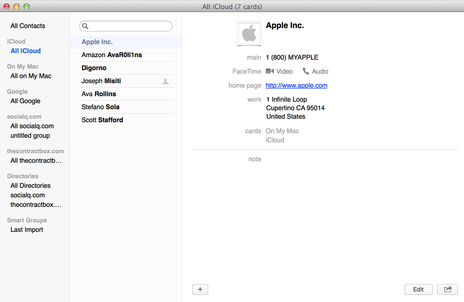
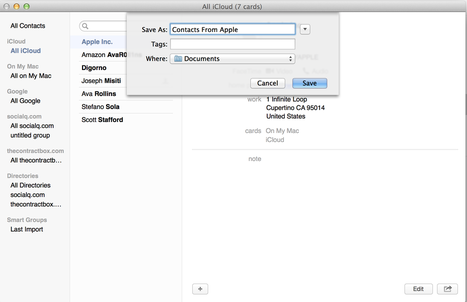
Next, you need to export the contacts as VCard. You can do this by selecting ** File -> Export -> Export vCard ** and then saving the file to your location hard drive. By default, it saves this file in your Documents folder.
Finally, you need to use a third-party service to convert your newly downloaded vCard to CSV. To do this, you can go to the following link, and upload the vCard. Make sure you select format to be CSV (not Gamil CSV), separate by commas, and check the box for Add header line
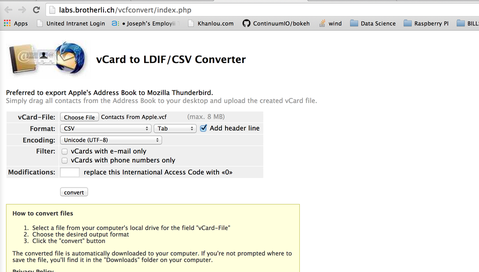
You are now finished. You can upload the resulting CSV to GetFetcher.com